| Scheduled Start Date *Required |
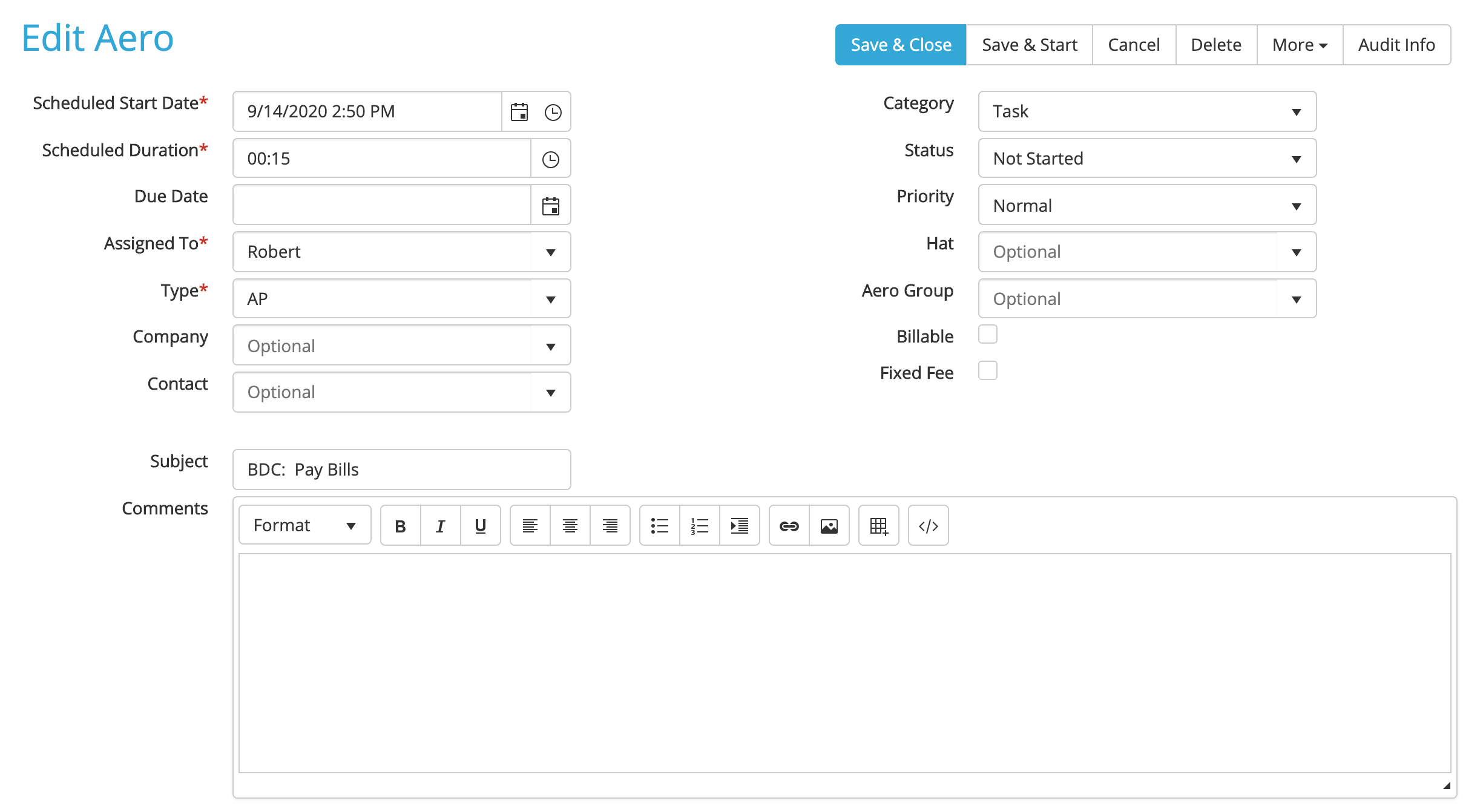
The date and time the Aero will appear on a user's dashboard. This field defaults to the current date and time, but you can enter a different date by clicking the calendar icon on the right and a different time by clicking the clock icon. |
| Estimated Duration: *Required |
The estimated time the Aero should take. This field defaults to the time you set in the template. |
| Due Date |
The date the Aero needs to be completed by. For example, if the task is to reconcile accounts, and the Start Date is on the first of the month but it just needs to be completed by the 10th, you can put the 10th in as the Due Date. |
| Type *Required |
The Aero Type. |
| Assigned To *Required |
The team member who will do the work. |
| Company |
The customer or company the work is for. |
| Contact |
The main contact for that Aero. |
| Category *Required |
This defaults to the category you set for the template (Task, Appointment, Other) |
| Priority |
The Aero’s priority (Normal, Elevated, Critical). Priority default is Normal. |
| Hat |
The job ‘hat’ the staff member is wearing for this Aero. |
| Aero Group |
The Aero Group this Aero is associated with (choose from the drop-down menu or start typing an Aero Group name, company name, or Aero Group type to find). |
| Billable |
If the box is checked, the time spent doing the Aero is billable. |
| Fixed Fee |
Check this box if this Aero will be billed on a fixed fee basis. |
Comments
0 comments
Please sign in to leave a comment.